Images
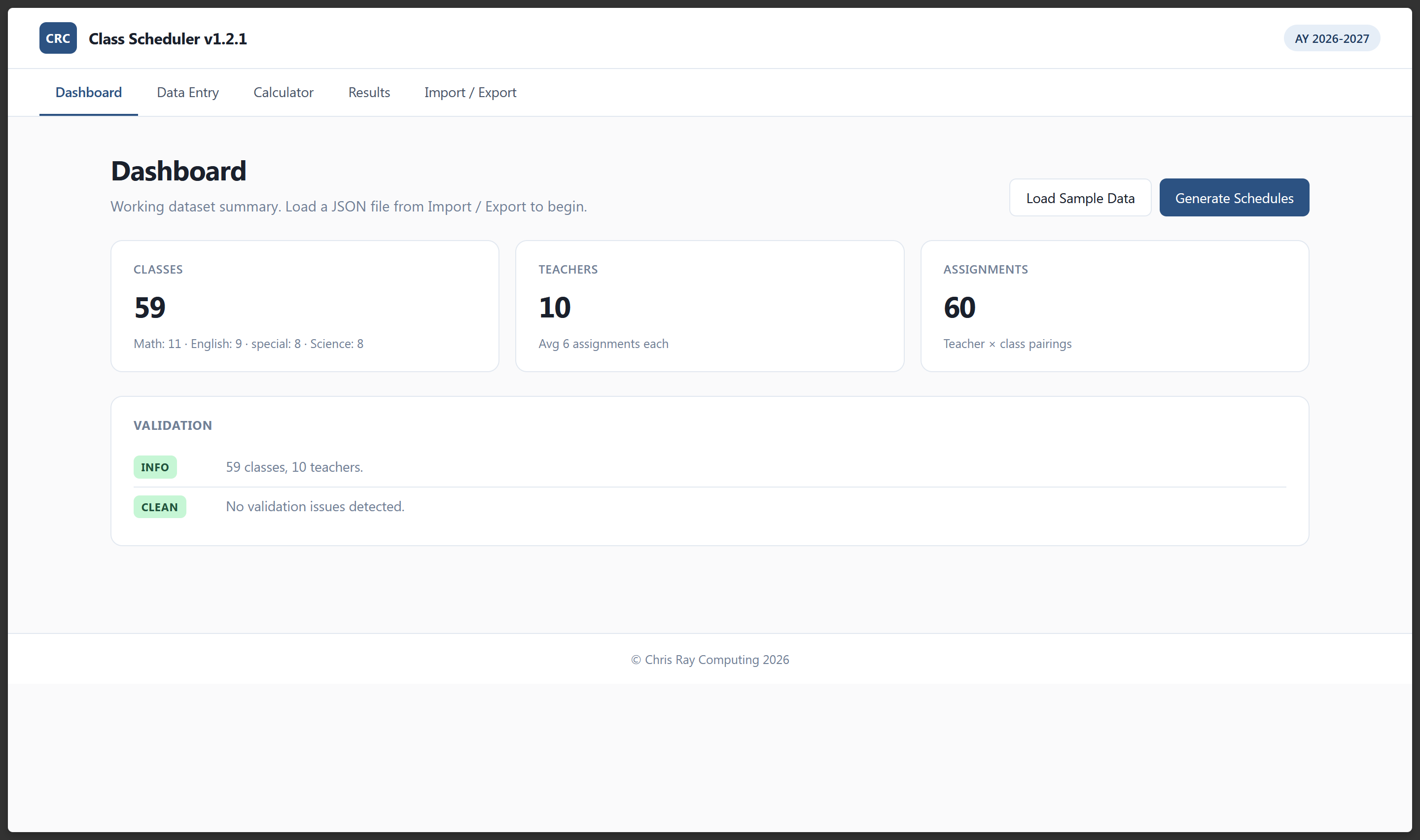
Class Scheduler is a browser-only school scheduling tool. It runs entirely from a folder you can drop on a USB stick — no server, no accounts, no install. Open the HTML file and you're running. It accepts class and teacher data, generates up to 24 ranked candidate schedules using a priority-based placement algorithm, and packages the results as print-ready HTML and CSV files, all without touching a server.
Every fall, my mother is tasked with building the master schedule at her small, private school. She starts by opening a very large spreadsheet — periods, rooms, teachers, grades. A teacher can't be in two places at once. A student can't take Algebra and English at the same period. The spreadsheet grows and something always conflicts. She described doing this by hand, by eye, printed out and checked on paper, for years. Class Scheduler is the tool I built to replace that process.
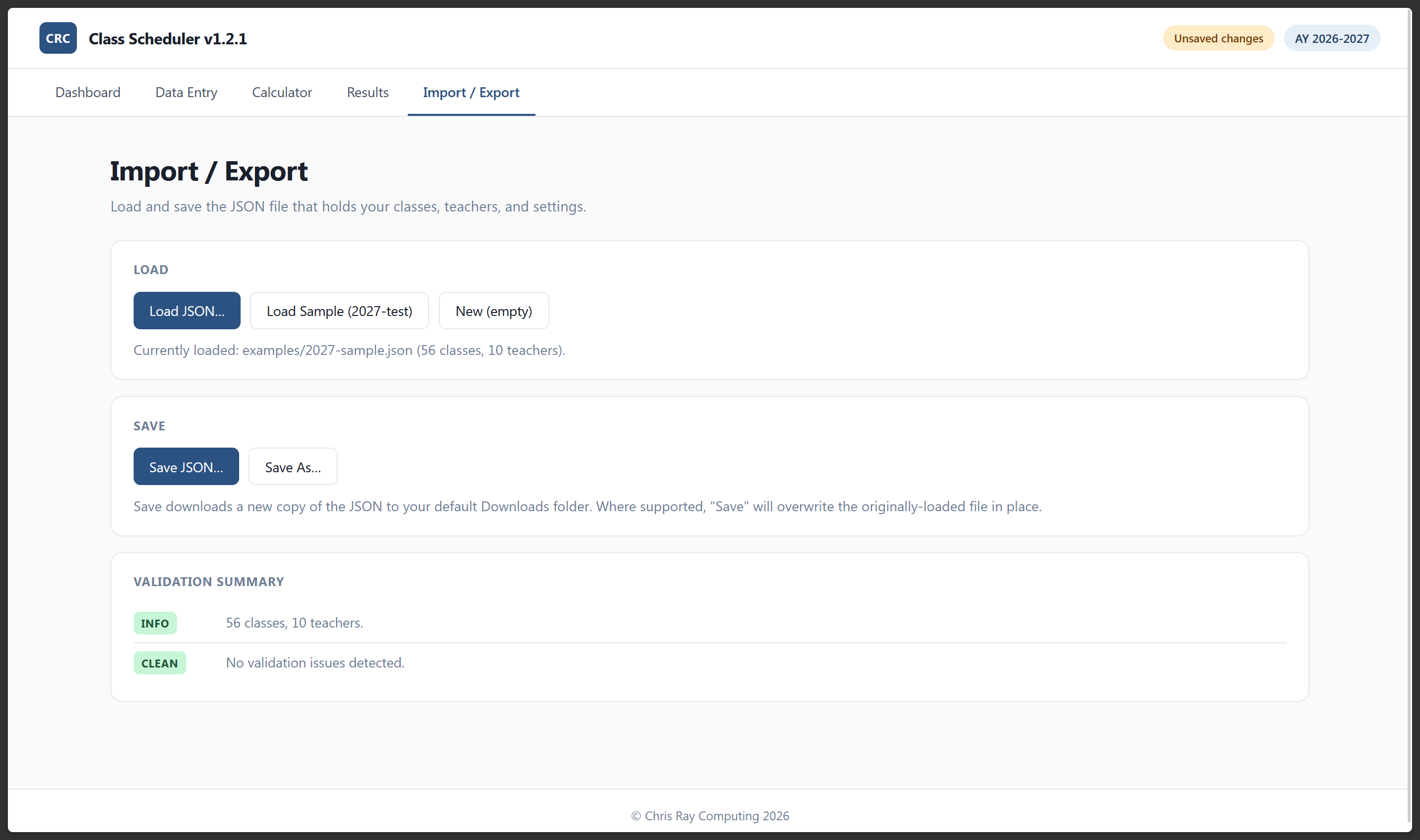
The first design constraint was the most important: it had to run anywhere, for anyone, with zero setup. A non-technical administrator should be able to deploy and trust it. That ruled out servers, accounts, and frameworks. The whole thing is vanilla HTML, CSS, and JavaScript. Data lives in memory while you work; a download button backs it up as a single JSON file at the end of a session.
The scheduler is a priority-based heuristic. It places the highest-priority classes first, into the slot that minimizes conflict and maximizes teacher fit. No genetic algorithm, no integer linear programming — for datasets in the dozens-of-classes range, a well-tuned heuristic is fast and produces good results.
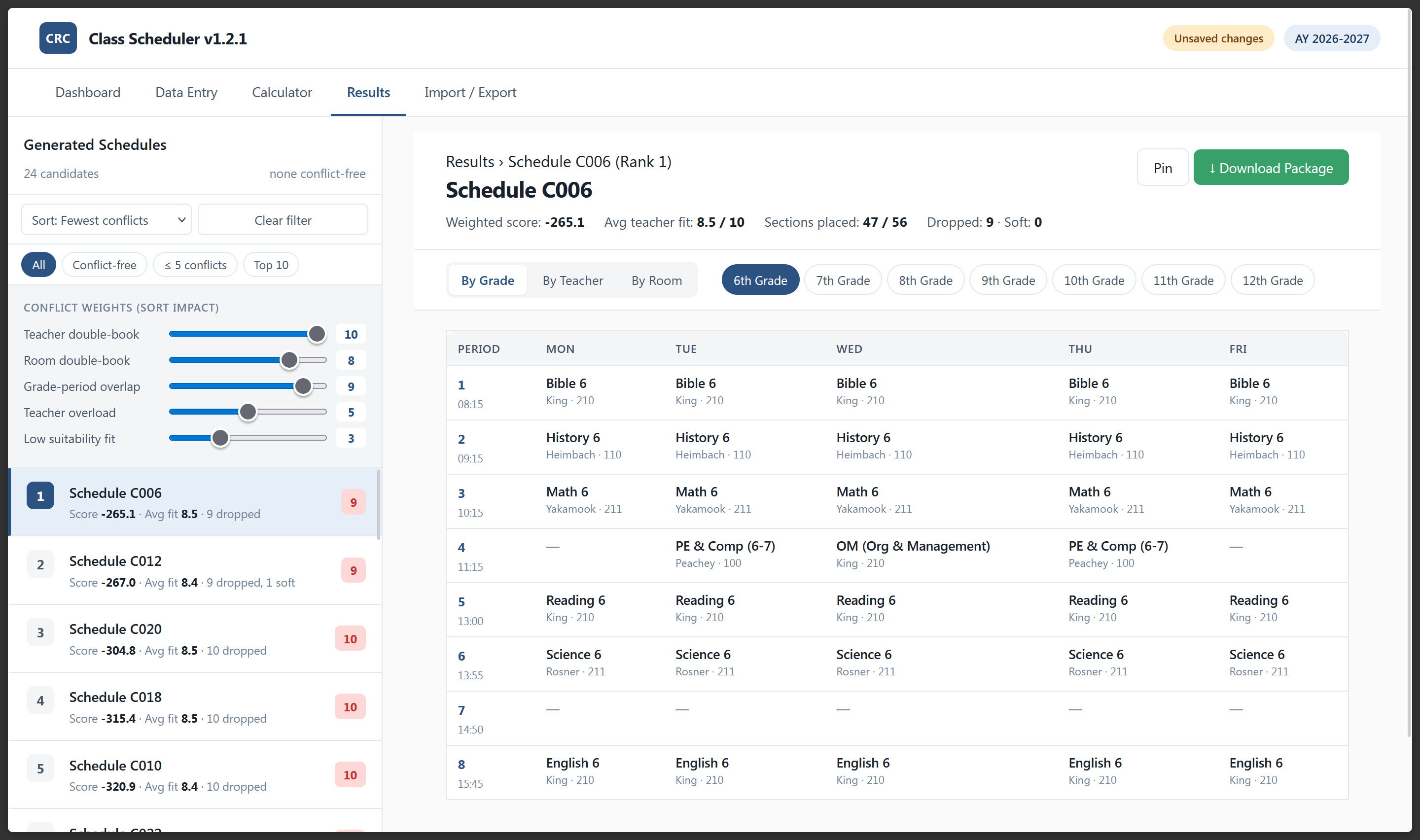
To get diverse outputs, each of the 24 candidate schedules starts from a fresh random shuffle of the class order before placement begins. Same algorithm, different starting order, meaningfully different schedules. The results are ranked by a weighted score and presented as a list so you can pick the one that fits your situation.
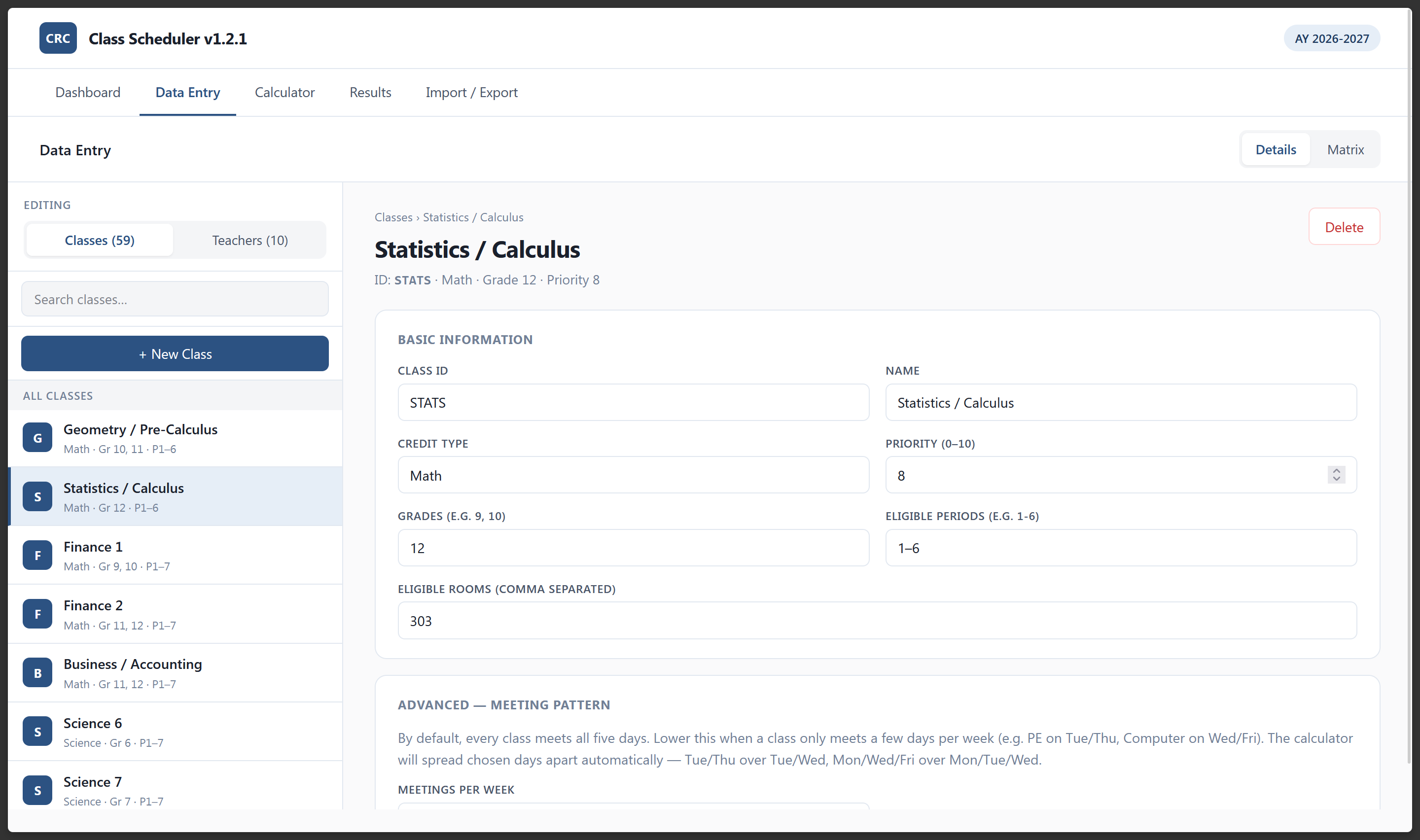
The part I'm most satisfied with is the credit type system. Two classes sharing a credit type — say, Algebra 1 and Algebra 2 — are treated as student alternatives: a grade-9 student picks one, not both, so they can legitimately share a period slot. Two classes with different credit types absolutely cannot share a period for the same grade. Getting this distinction right lets the scheduler pack a schedule significantly more efficiently than a naive "no two classes same period" rule, and it reflects how schools actually work.
The class matrix accepts paste directly from Excel. Copy a block in column order — ID, Name, Credit Type, Grades, Periods, Rooms, Priority — click anywhere in the table, and hit Ctrl+V. This matters because most administrators already have years of class data in a spreadsheet; retyping it would be a non-starter.
The Teacher × Class matrix works the same way. Cells are color-coded by suitability score (blank → red → amber → green → dark green), navigable by arrow keys, Tab, and Enter, and accept rectangular pastes from Excel. Meeting patterns let you specify that a class meets two or three days a week instead of five. The scheduler prefers non-consecutive day pairs — a 2-day class gets Tue/Thu or Mon/Fri over Tue/Wed — and violations show up as soft conflicts that drop the weighted score without blocking placement, so better-spread schedules surface first in the ranked list.
Earlier versions produced schedules that contained hard conflicts — a teacher double-booked, a room oversubscribed. A conflict report listed them and you had to resolve them manually. That was a bad contract with the user: a schedule with a hard conflict isn't a schedule you can use.
v1.2.1 changes the philosophy. If a class cannot be placed without violating a hard constraint, it gets dropped. The Results page shows an Unschedulables panel listing every dropped class with a plain-English explanation:
More useful than the reason label is the slot-rejection breakdown — the per-constraint count of how many candidate slots each rule eliminated. If room_always_booked dominates, the room is oversubscribed. If grade_overlap_unavoidable dominates, too many distinct credit types are competing for that grade's periods. The diagnostic output tells you what to fix, not just that something failed.
Clicking Download Package produces a .zip built entirely in-browser — no server-side zip generation, no external library. Inside:
schedule_master.html — per-grade master scheduleschedule_by_teacher.html — one section per teacherschedule_by_room.html — one section per roomconflict_report.html — full soft-conflict listunschedulables.html — dropped classes with diagnostics (print-ready)schedule.csv — flat CSV for Excelschedule.json — raw placement data, re-importableTo make PDFs: open any HTML file, hit Ctrl+P, save as PDF. The print stylesheet handles page breaks on grade and teacher boundaries automatically. No PDF library required.
unschedulables.html and unschedulables.json to download package.